The AI revolution isn’t reserved for tech giants with massive engineering teams. No-code and low-code AI platforms are democratizing artificial intelligence, putting powerful automation capabilities in the hands of marketers, operations managers, and business owners. The

The AI revolution isn’t reserved for tech giants with massive engineering teams. No-code and low-code AI platforms are democratizing artificial intelligence, putting powerful automation capabilities in the hands of marketers, operations managers, and business owners.
The No-Code AI Revolution
Five years ago, implementing AI meant hiring data scientists, building infrastructure, and months of development. Today, you can build sophisticated AI workflows in hours—no programming required.
The shift is profound: AI has moved from specialized engineering tool to accessible business tool, similar to how spreadsheets democratized data analysis decades ago.
What No-Code AI Can Actually Do
These aren’t toy platforms. Modern no-code AI tools handle serious business automation:
Customer Service Automation
Build intelligent chatbots that:
- Handle 70-80% of support queries without human intervention
- Route complex issues to the right team members
- Learn from interactions to improve over time
- Integrate with your CRM, ticketing system, and knowledge base
Time to Deploy: Days, not months
Content Generation at Scale
Create AI workflows for:
- Product descriptions from specifications
- Social media posts from blog content
- Email sequences personalized to customer segments
- SEO-optimized meta descriptions and alt text
Business Impact: 10x content output without proportional headcount increase
Document Processing Intelligence
Automate tedious document work:
- Extract data from invoices, receipts, contracts
- Classify and route documents automatically
- Generate summaries of lengthy reports
- Identify anomalies requiring human review
ROI: Recover hundreds of employee hours monthly
Predictive Analytics Made Simple
No-code tools that:
- Forecast sales based on historical patterns
- Predict customer churn with early warning signals
- Identify inventory optimization opportunities
- Score leads for sales prioritization
Accessibility: Business users create models without understanding the math
Real-World Success Stories
E-Commerce Retailer: Built an AI system that generates product listings from supplier data, translates them into 12 languages, and optimizes pricing based on market conditions—all without writing code.
Professional Services Firm: Created an intake automation that qualifies prospects, schedules consultations, and prepares background research documents, reducing admin time by 15 hours per week.
Manufacturing Company: Deployed predictive maintenance alerts that reduced equipment downtime by 35% using no-code AI to analyze sensor data.
Choosing the Right No-Code AI Platform
Not all no-code platforms are created equal. Evaluate on:
1. Integration Capabilities
Does it connect to your existing tools?
- CRM systems (Salesforce, HubSpot)
- Communication platforms (Slack, Teams)
- Cloud storage (Google Drive, Dropbox)
- Marketing automation (Mailchimp, Marketo)
- Database systems
2. Scalability
Will it grow with your needs?
- Usage limits and pricing tiers
- Performance under high volume
- Ability to add custom code when needed
- Enterprise-grade security and compliance
3. AI Capabilities
What can the AI actually do?
- Natural language processing quality
- Computer vision accuracy
- Prediction model sophistication
- Customization and fine-tuning options
4. Ease of Use vs. Power
Find the right balance:
- Visual workflow builders for non-technical users
- Advanced features for power users
- Templates and pre-built components
- Community and documentation quality
Building Your First No-Code AI Workflow
Step 1: Identify the Right Use Case
Start with processes that are:
- Repetitive and time-consuming
- Rule-based but require some intelligence
- High-volume with consistent patterns
- Currently creating bottlenecks
Step 2: Map Your Workflow
Document the process:
- What triggers it?
- What decisions are made?
- What data is needed?
- What’s the desired output?
Step 3: Build and Test
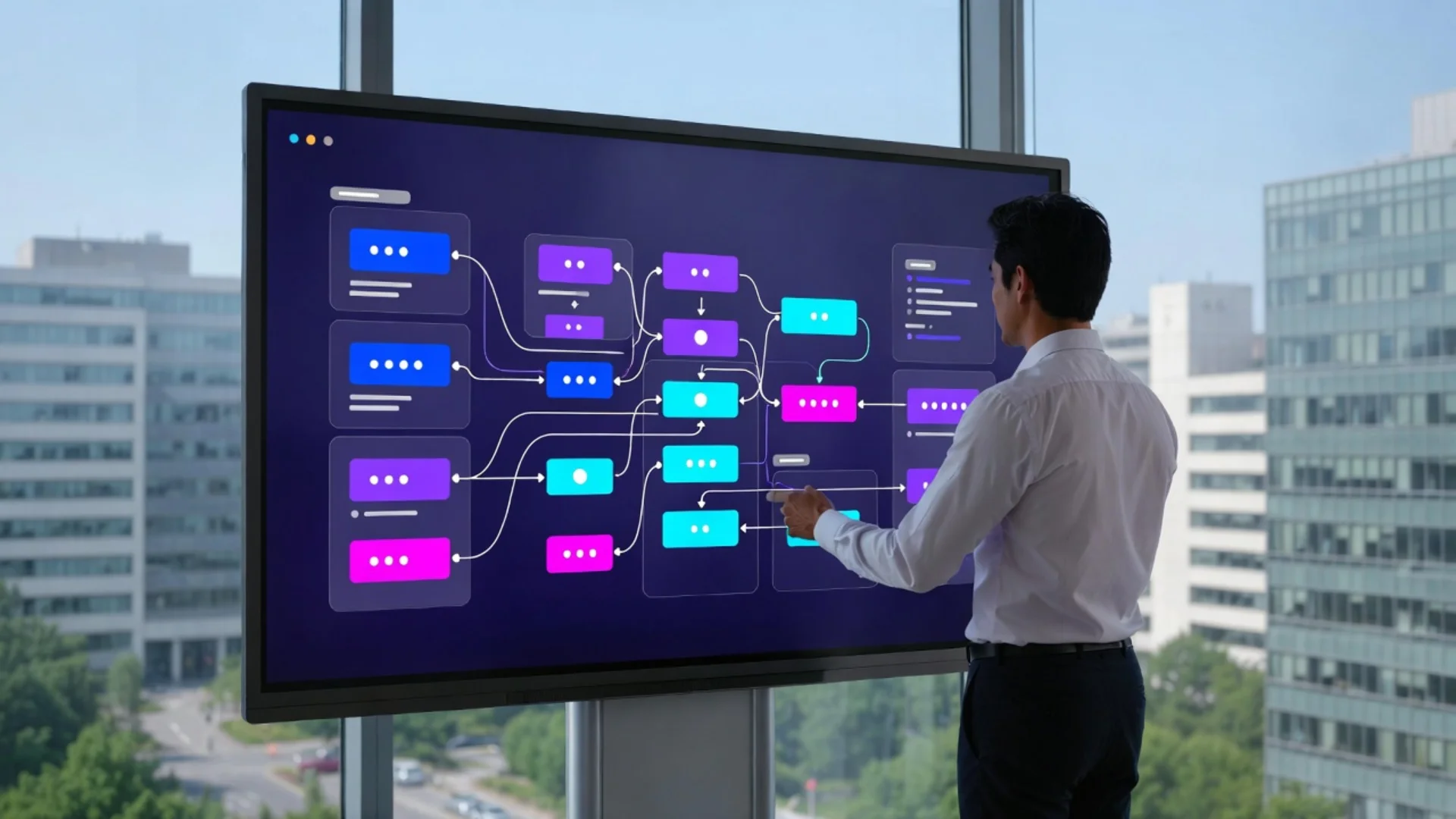
Use the platform’s visual builder:
- Connect your data sources
- Configure AI components
- Define logic and conditions
- Test with real scenarios
Step 4: Monitor and Optimize
Watch performance metrics:
- Accuracy rates
- Processing speed
- Error patterns
- User satisfaction
Iterate based on results.
Common Mistakes to Avoid
Automating Broken Processes: Fix the workflow before automating it. AI amplifies efficiency—and inefficiency.
Ignoring Data Quality: Garbage in, garbage out still applies. Clean, consistent data is essential.
Setting Unrealistic Expectations: No-code AI is powerful but not magic. Understand limitations.
Skipping Human Review: Start with AI-assisted workflows where humans verify outputs before full automation.
Neglecting Change Management: Train your team on new tools and processes. Technology adoption fails without buy-in.
The Low-Code Option: More Power, More Flexibility
For complex needs, low-code platforms offer a middle ground:
- Visual development for core logic
- Custom code insertion for specialized functions
- Advanced API integrations
- Proprietary algorithm implementation
Low-code is ideal when no-code hits limitations but full custom development is overkill.
Security and Compliance Considerations
When implementing no-code AI:
Data Privacy: Ensure the platform is GDPR/CCPA compliant and handles sensitive data appropriately
Access Controls: Implement role-based permissions for who can build and deploy workflows
Audit Trails: Maintain logs of AI decisions for accountability and debugging
Vendor Stability: Choose platforms with strong financial backing and user communities
The Skill Gap Closes
No-code AI tools require new skills, but they’re more attainable:
- Understanding business process design
- Basic logic and conditional thinking
- Data structure awareness
- Testing and quality assurance mindset
These are learnable in weeks, not years. Many companies are successfully training existing staff rather than hiring specialists.
HMHLabz’s No-Code AI Services
We help businesses leverage no-code AI effectively:
Assessment: Identify high-impact automation opportunities Implementation: Build and deploy no-code AI workflows Training: Empower your team to manage and expand automation Hybrid Solutions: Combine no-code tools with custom development where it makes sense Ongoing Optimization: Continuously improve AI performance and ROI
Our philosophy: Use the right tool for the job. Sometimes that’s no-code, sometimes custom code, often a combination.
The Future Is Accessible
AI doesn’t belong exclusively to engineers anymore. The businesses winning in 2026 are those empowering everyone in the organization to leverage AI for their specific needs—customer service reps building better chatbots, marketers creating smarter campaigns, operations teams optimizing workflows.
The question isn’t whether your business should use AI. It’s whether you’ll empower your team to use it effectively.
Ready to explore no-code AI for your business? HMHLabz can guide you from assessment to implementation and beyond. Let’s make AI accessible for your team.